
Carve in 3D, right in your browser.
Design raised reliefs, carved signs, V-carving and mouldings, see exactly how they will cut, then save the file for your machine. Nothing to install.
The free trial does everything except save cut files. When you're ready to cut: $5 for a job, or $25 for a whole year.
From idea to cut file in four steps
Everything runs on your own computer. Your designs never leave it.
Draw or bring it in
Type text in any font, draw shapes, trace a photo or logo, or open SVG, DXF and STL files.
Shape it in 3D
Turn outlines into domes, bevels and custom profiles. Sculpt by hand, add textures, blend shapes together.
Set the toolpaths
Pick your bits. Roughing, finishing, V-carve, pockets, profiles with tabs, drilling, mouldings.
Preview and save
Watch the cut in 3D, let the checker look for problems, then save the file for your controller.
The tools a sign and carving shop reaches for
Built in a working CNC shop, for real jobs.
3D relief modeling
Dome, round, angled, flat and custom profiles. Blend between outlines, tilt, fade, limit height, combine layers.
Sculpt by hand
Raise, lower, smooth, level and smear the carving with a brush, like clay.
Text to cut
Any font on your computer. Straight, on an arc, or along any line you draw, at true size.
Trace pictures
Turn a photo or logo into clean outlines or centre lines, ready to carve.
V-carving and inlays
Crisp V-carved lettering, flat-bottom V-carve, prism carving and matching inlay plugs.
Profiles, pockets, drilling
Cut-outs with tabs and ramps, pockets, chamfers, fluting, peck drilling and bored holes.
Moulding toolpath
Run a round-over, cove, ogee, bead or your own profile along any line, for frames and arches.
Finishing patterns
Along X, Y, 45°, cross passes and rings from the edge in, with a limit to just the area you pick.
Thick and two-sided work
Slice a tall model into boards to glue up, or flip a job with dowel holes to carve both sides.
Your bit library
Keep your bits with feeds and speeds. Import tool lists from a spreadsheet or popular CAM tool files.
Safety first
A file checker that reads every move back, plus an air-cut copy to run above the board before the real cut.
Your own clipart
Save logos, names and finished 3D pieces, then drop them into any new job.
Try everything. Pay when you cut.
No account and no subscription. A pass is a code that unlocks saving cut files on any computer.
Free trial
- Every design and 3D tool
- Every toolpath, with 3D preview
- Projects save in your browser
- Saving cut files and STL
One job
- Everything in the trial
- Save G-code, .mmg, STL and heightmaps
- 24 hours from the first time you unlock
- Use it on any computer
One year
- Everything, for 365 days
- Every update while it runs
- Use it on any computer
- No auto-renewal
Secure checkout by Stripe. Prices in US dollars. Terms
Measure big things with a phone camera
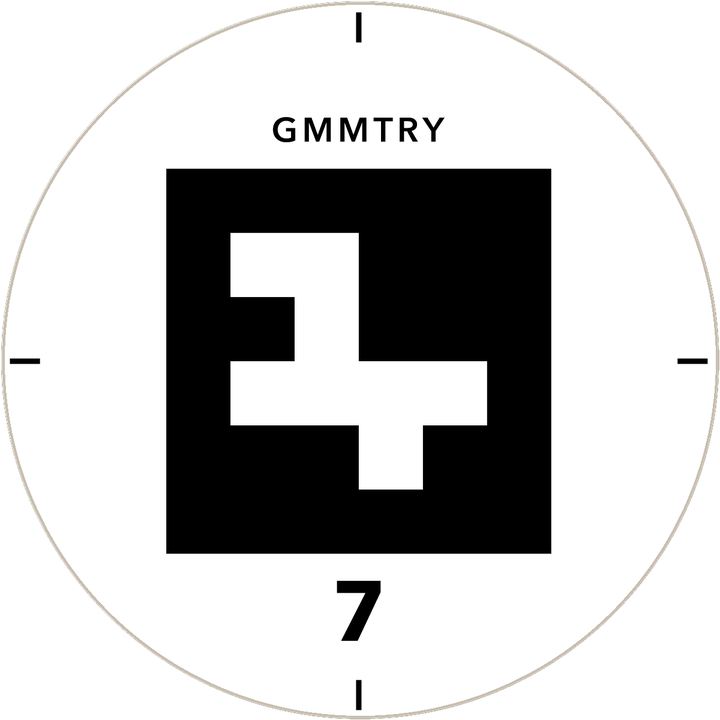
Lay numbered scan discs on a floor or a part, take photos, and our desktop scanner turns them into a true-size drawing you can cut.
Order a pack of 20 ready-made discs for $50, or send us a design to make your own set.
Good to know
Do I need to install anything?
No. RLF3D runs in Chrome or Edge on a Mac or PC. Open rlf3d.com/app and start. Once it's open, it keeps working even if your shop internet drops.
Where are my designs kept?
On your own computer, in your browser. You can also save a project file to keep or move to another computer. We never see your work.
What does "one job" mean?
Every feature for 24 hours, starting the first time you unlock with the pass. Save as many cut files as you need for that job in that time.
Which machines does it work with?
Any router that runs G-code: GRBL machines like Shapeoko, X-Carve and Onefinity, Mach3, Mach4 and UCCNC, Laguna with a RichAuto controller (.mmg), and a generic G-code option. Try the trial first to see the file your machine needs.
Is it safe to run on my machine?
Every file is checked before it saves: rapid moves below the board, cuts into the spoilboard, going past the board edge or machine travel. Before a first real cut, save the air-cut copy and run it above the board. Always watch your machine while it cuts.
Do the scan discs work inside the web app?
No. Scanning runs in our desktop scanner. The web app opens the drawings it makes (DXF) and carves them.
Can I get a refund?
If RLF3D doesn't work for you, send us a message within 14 days of buying and we'll make it right. Details are in the terms.
Ask us anything
Questions, a file that won't cut right, or an idea for a feature. We read every message.